Supraman

Skeptical about coding agents? Good. Stay that way.

You’ve seen an agent swear the tests pass when they never ran. These tools don’t ask you to trust it. They let you watch eight agents at once, steer any one of them, and refuse every done that comes without proof.

Free and open source. Windows 10/11 today, macOS and Linux next.

One agent is a demo. Eight is a job.

Every Claude Code session on your machine, in one tree: your folders, groups and sub folders, each repo and worktree. A dot says who's working, who's idle and who's waiting on you.
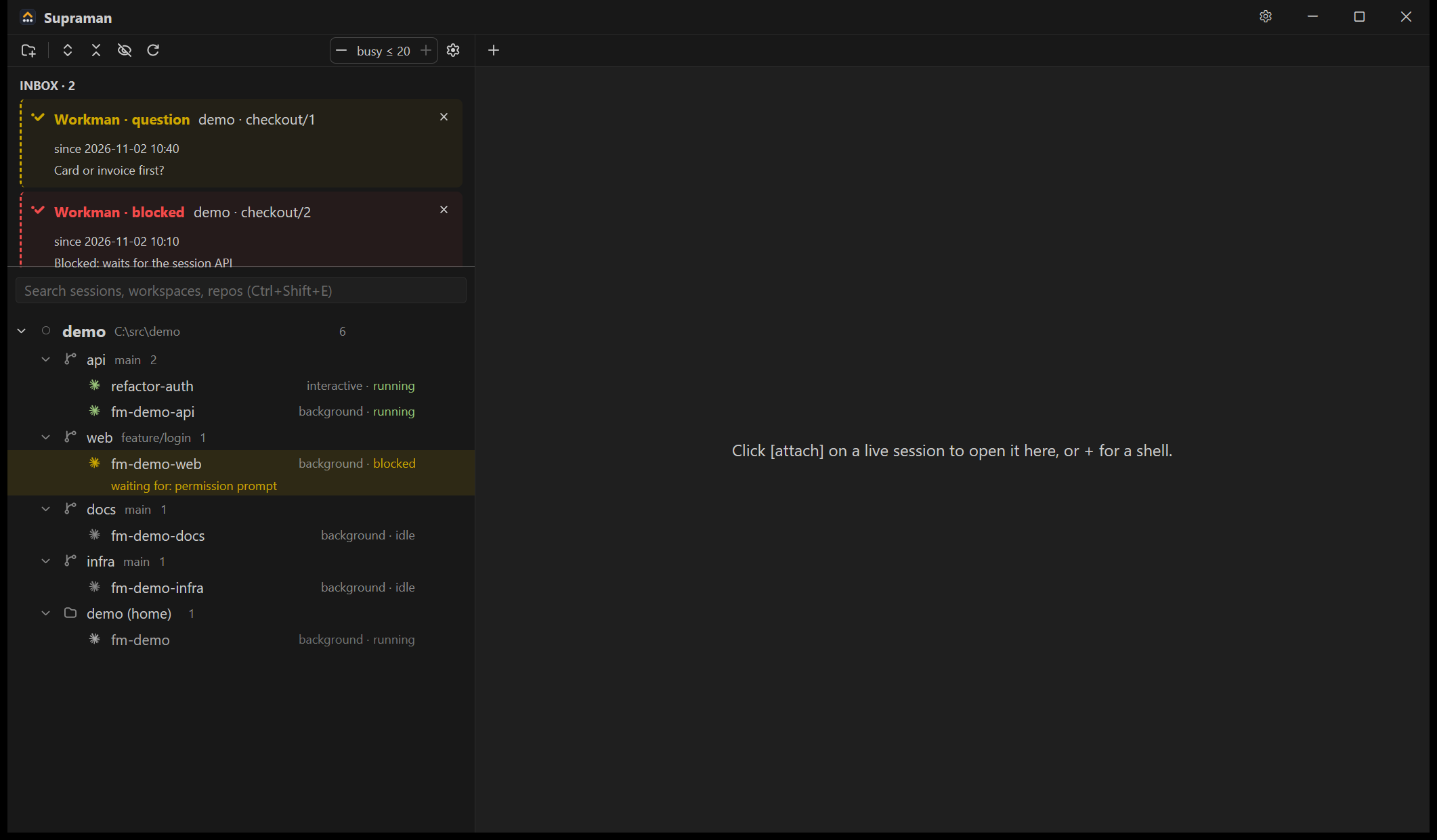
The Supraman window: an Inbox on top, then the session tree with repos, branches and sessions in their live states.

waiting on you

every repo, every worktree

back after a reboot

Let them ask each other.

Drag one session's tab onto another's terminal. Its name lands at the prompt. Type the rest. No ids to copy, no terminals to juggle.

Review where they work.

Gitman, the Git tab in Supraman, draws every live agent on the branch or worktree it works in. Click one to see it. Double-click to open its terminal and steer it, mid-review.

Every Git write has an Undo: commits, resets, rebases and branch deletes, too.
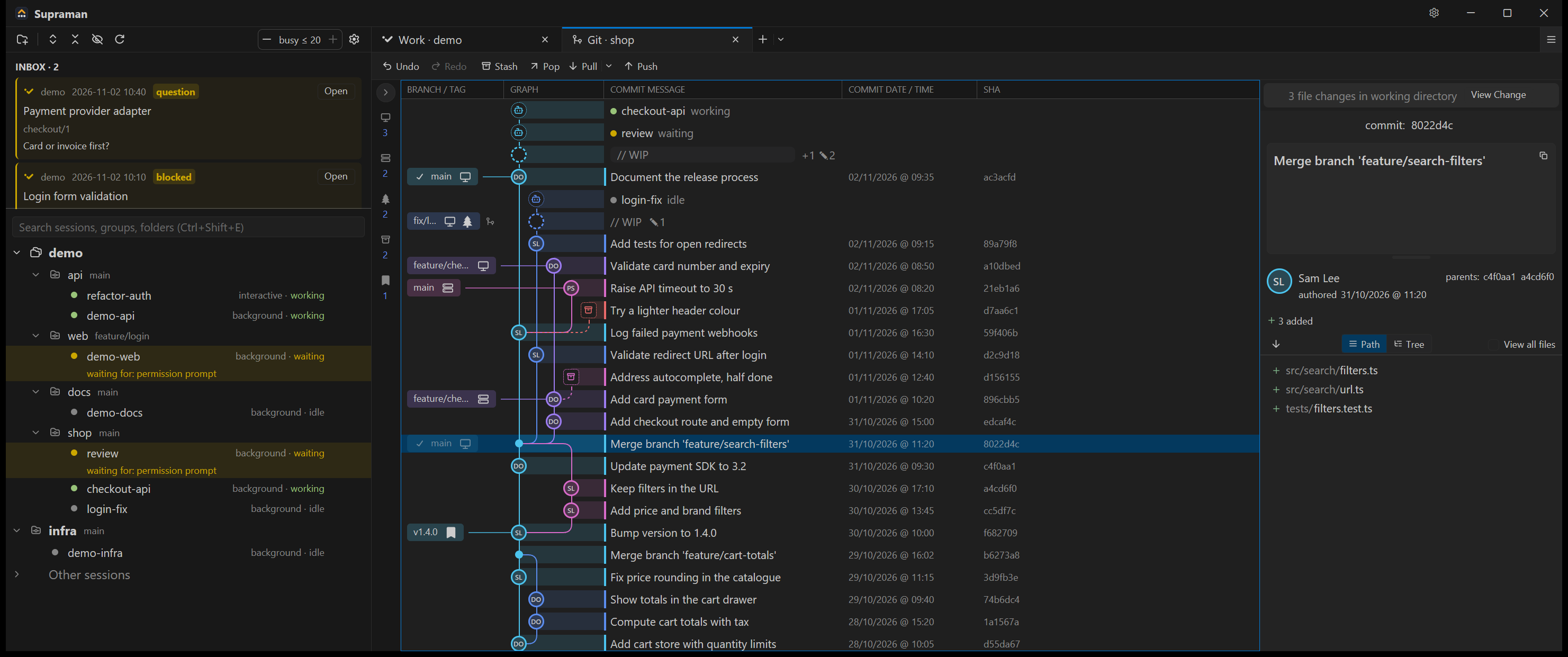
Supraman's Git tab for a shop repository: the commit graph with three agent sessions as rows on the branches and worktree they work in, the Inbox and session tree on the left, a merge commit's files on the right.

click it, then steer it

an agent, on its own worktree

Done means proven.

Workman is the record your agents work against. It won't close a task until every criterion is checked and someone other than the worker ran the verification. The refusal names the call that fixes it.
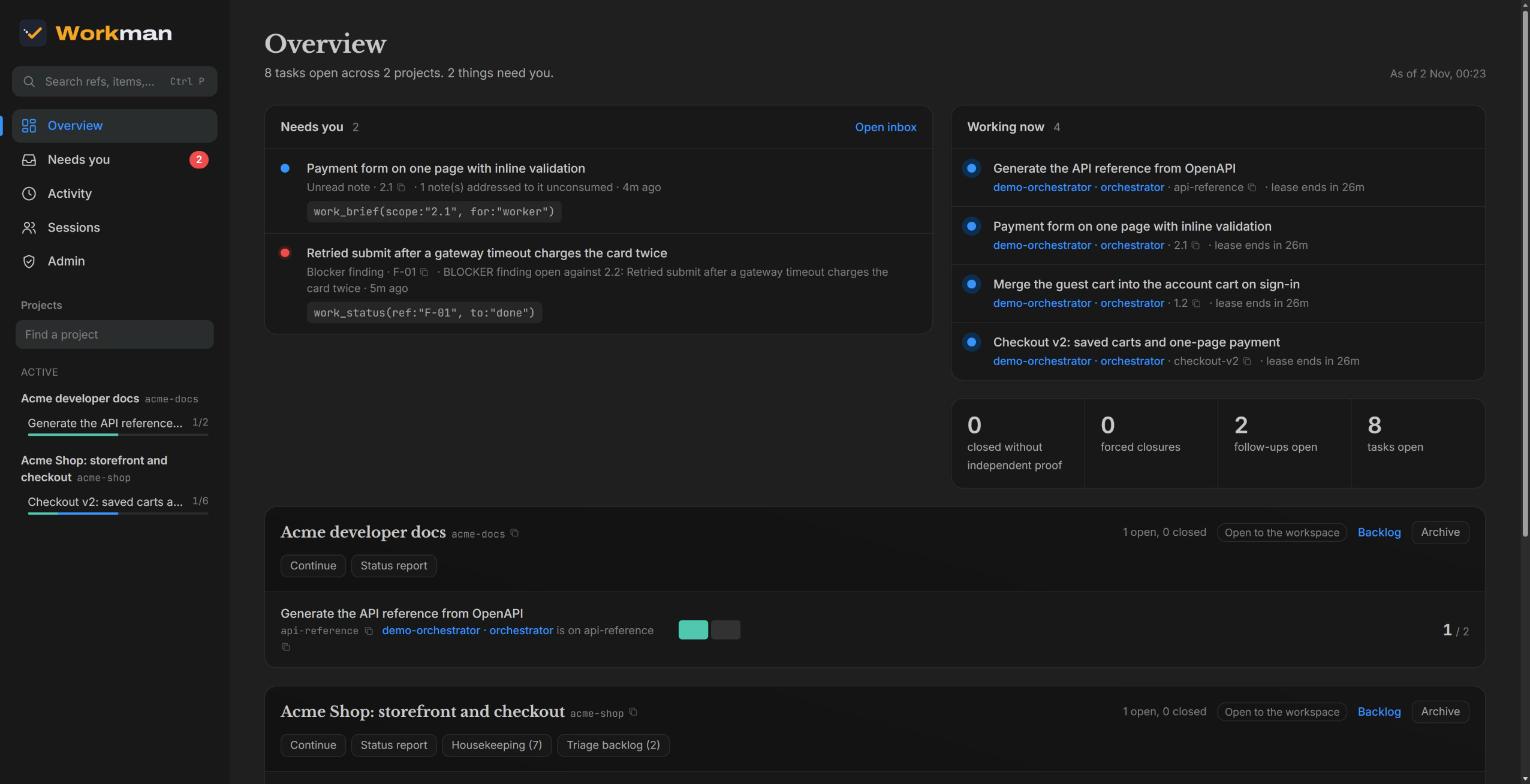
The Workman dashboard: what needs you, who is working on what, and how many tasks closed without proof.

what the agent said, next to what was proven

They forget. The record doesn't.

When the context compacts, one call, work_brief, rebuilds the goal, the rules that bind the work and the literal next step. No PLAN.md drifting out of date.

Loops that run while you sleep.

Schedule a slash command on your own machine, with your repo, your .env and your Docker. Caps on time and tokens, a dry run first, and nothing runs until you click Approve.

# every weekday at 07:00, read-only
sm schedule add --name "Triage failures" \
  --every 'weekly mon,tue,wed,thu,fri 07:00' \
  --command /replay-failures --profile read
# waits for your Approve in the window

The little things

The ones you notice on day two.

  • Ctrl+Alt+TBrings back any of your last 20 closed tabs.
  • Ctrl+Z in GitUndo a commit, a reset or a rebase. Ctrl+Y redoes it.
  • Drag to mergeDrop one branch on another to merge or rebase, or on a remote to push.
  • Stage linesStage a hunk or just the lines you selected, in a real diff editor.
  • One InboxPermission prompts, questions, failed runs and blocked work, in one list.
  • Reboot freelyTabs come back as resumes. Wanted sessions start again on their own.
  • Your themeDrop in any VS Code or Zed theme file.
  • 29 MB, nativeRust on gpui, the engine behind Zed. Your RAM goes to the agents.
  • Signed updatesChecked against an ed25519 signature. Sessions keep running meanwhile.

Free. Open source. Yours.

No account, no trial, no seat count. Supraman is GPL-3.0, Workman is Apache-2.0 and runs on your machine if you like.

Supraman and Gitman

Windows 10/11, x64

  1. Download the zip from GitHub Releases and extract it anywhere. No installer.
  2. Run supraman.exe and add the folder that holds your repos.
  3. Your Claude Code sessions show up on their own.

Needs the Claude Code CLI 2.1.308 or newer.

Download Supraman

Workman

any Claude Code

Add the plugin in Claude Code:

/plugin marketplace add getsupraman/workman
/plugin install workman@supraman

Run it on your machine (Docker is all it needs):

/workman:setup

Prefer hosted? work.supraman.ai is open by invitation for now.

Workman on GitHub